
Picture this: You’re walking down the street, handing out business cards to people you pass by. But you only have 50 cards. Are you going to hand every single person a card, or will you tap into your inner marketer to target potential homebuyers?
Chances are, you’re going to consider your ideal buyers so you can build the best target audience for your contractor business. This way, you won’t have to worry about handing valuable business cards to people who will never check out your website or pick up the phone.
Now, what if you could channel the same targeting strategy into your advertising efforts? (Hint: You can.) Facebook advertising makes it easy to refine your audience down to the smallest detail so you can get your brand in front of the right people. And when you build the right Facebook audiences, you can make the most of every advertising dollar with targeted ads.
Ready to get started? Here’s how to drive more home-building leads and grow your business with a targeted Facebook campaign.
You already know that Facebook is a must-have for home builders, but how can you optimize your ads for your target audience? Facebook automatically shows your ads to people who are most likely to find them relevant, but you’ll want to tap into the platform’s audience selection tools to fine-tune your campaign.
If you’re a Facebook newbie, launching a targeted campaign can be a little tricky. Your targeting options are almost limitless, and you can use any combination of these targeting methods to reach potential homebuyers:
Building Facebook audiences takes some time. To drive conversions and capture high-quality leads, you’ll want to make your audiences specific, but not too specific. We know: Facebook ads can be a delicate tightrope balance, but it’s well worth the time and effort.
Of course, you can’t start building without a plan in place. Before you start crafting Facebook audiences, you’ll want to build buyer personas to guide your campaigns. Buyer personas aren’t just avatars; they provide a window into the minds and purchasing habits of your customers. To craft the right buyer personas and define your customer base, you’ll need to leverage customer data.
Once you’ve painted a clear picture of your buyer personas, it’s time to set up your target audiences. Facebook offers three types of audiences, each with its own advantages:
If you’re just starting out with Facebook ads, core audiences are the way to go. Facebook collects an enormous amount of data based on actions taken by users. Then, it compiles that data into different categories (see: the ones we mentioned above) to help advertisers build ultra-specific target audiences.
With core audiences, you can choose exactly who to serve your ads to. You can even target people who are navigating life events, like selling a house or moving to a new city. Sounds pretty great, right?
To create core audiences, all you have to do is adjust your target audience to match your buyer persona. And if you’re missing some customer data, you can set your targeting options to create broader or more well-defined audiences while you fill in the blanks.
Not sure where to start? Audience Insights can be your MVP. Facebook’s Audience Insights tool provides data about two groups of people—people connected to your page and people on Facebook—so you can choose the right audience for your next campaign. Plus, you can use Audience Insights to create personalized content that resonates with potential buyers.
Core audiences are ideal for lead generation, but custom audiences can help you seal the deal with conversion-worthy ads. Custom audiences allow you to connect with people who’ve already shown interest in your contractor business, whether they’re past clients or people who have visited your home builder website. Since they’re already familiar with your brand, you can spend less time on brand awareness and guide prospects through your Facebook sales funnel.
To set up custom audiences, upload a list of emails or phone numbers of prospects you want to serve ads to. Here, you can copy and paste customer information or import data from MailChimp. You can also have Facebook exclude certain emails or phone numbers on your contact list if you know those people aren’t interested in buying a new home at the moment.
Custom audiences also work with Meta Pixel (more on that later), so you can show ads to people who have visited your website or taken another action—whether that’s checking out your portfolio or viewing your pricing page.
Want to broaden your reach? To reach people who are similar to your current customers, you’ll want to set up lookalike audiences. They’re a quick and effective way to build brand awareness and connect with people likely to click on your ads.
All you have to do is create a source audience, and your ads will reach people with common interests. And if you’ve already been playing around with custom audiences, you can use the lookalike audience option to target users similar to those you’ve defined in your custom audience.
Let’s say you’re building homes in a new city. You can use lookalike audiences to target potential buyers in that area without sacrificing your other targeting options. For the best results, Facebook suggests using a group of 1,000 to 50,000 of your best customers based on their lifetime value or transaction value with your company.
Congratulations. You’ve successfully launched a targeted Facebook campaign and you’re driving new home buyer leads, but your hard work isn’t over just yet. To optimize your ad strategy and increase conversions, you’ll need to install the Meta Pixel.
Simply put, the Meta Pixel is a code that you copy and paste on your website. It tracks visitors’ behaviors across your website so you can target visitors based on specific behaviors. This way, you can retarget Facebook users who recently scrolled through your portfolio, started filling out a contact form, or checked out your landing pages. You can also use the Meta Pixel to measure the results of your ads.
Installing the Meta Pixel might sound intimidating, but it’s easier than you might think. Here’s how to get started.
After installing your pixel, it’s time to start tracking specific events (AKA behaviors). For instance, if you’re trying to track lead generation, you’d toggle Lead Generation and copy/paste the code into the <script> portion of your header on the page you track leads.
Here, you might track the thank-you page for subscribing to email newsletters since those people are likely qualified leads. Alternatively, you could track the confirmation page for completed forms or the download page for someone downloading gated content.
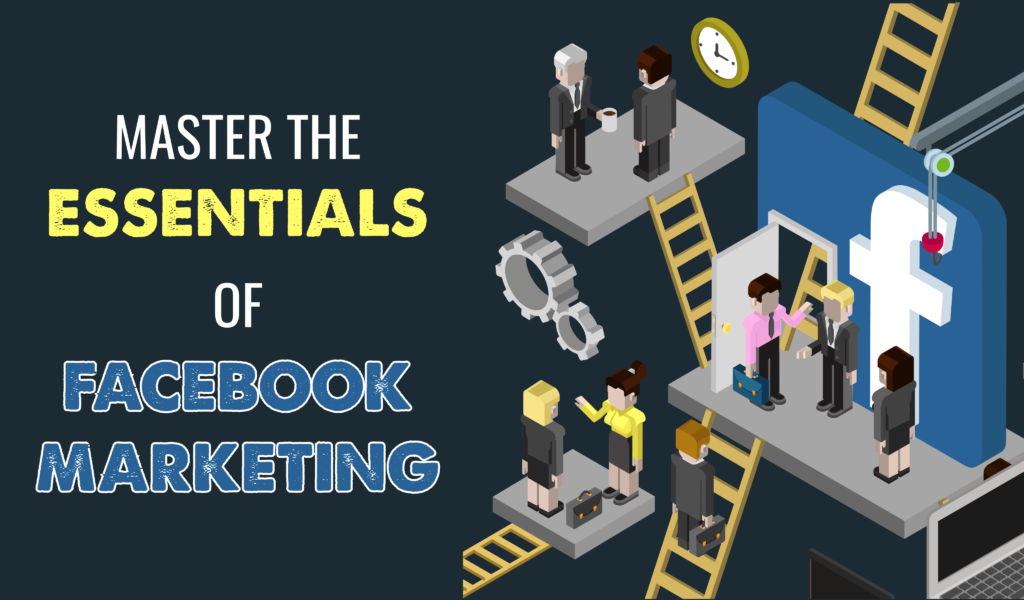
Once you’ve mastered the essentials of Facebook targeting, you’ll need to perfect your content and advertising strategy to dominate the competition. To set your home builder business up for marketing success, check out our social media guides for contractors.
Have any questions about Facebook targeting? Give us a call today to transform your social media strategy with impactful ads.